Updated for the 2025–2026 School Year
If you’re searching for Schoology BCPS Login, you probably just want one thing — to get in fast and without errors. Maybe you’re a student trying to submit homework at 10:57 PM. Maybe you’re a parent checking grades before a conference. Or maybe you’re a teacher who just needs the system to cooperate for once.
Here’s the important update: BCPS One is retired. Baltimore County Public Schools no longer uses that portal. Login now works through direct Schoology access with Microsoft/Azure Single Sign-On, and parent accounts are managed through the Focus system.
This guide reflects the current BCPS login structure, based on official district systems and how users are actually accessing Schoology in 2026.
What Is Schoology in BCPS?
Baltimore County Public Schools (BCPS) uses Schoology as its Learning Management System (LMS). It’s where:
- Teachers post assignments
- Students submit homework
- Class discussions happen
- Quizzes and tests are delivered
- Daily classroom communication lives
But Schoology is only part of the ecosystem.
BCPS also uses Focus, the district’s Student Information System (SIS), for official grades, attendance, report cards, and parent account management.
Understanding the difference between these two systems is where most confusion happens — and honestly, that confusion is totally understandable.
Official Schoology BCPS Login (Current Method)
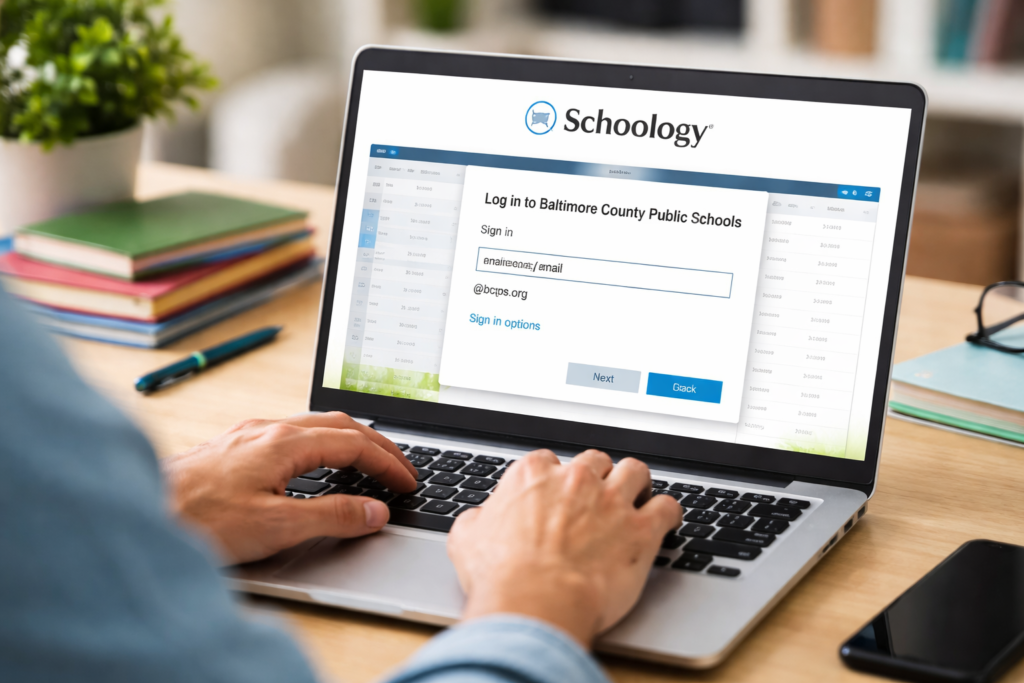
The correct and official login link is:
Do not search for “BCPS One” — it no longer exists.
When you visit the Schoology BCPS login page, you’ll be redirected to Microsoft/Azure Single Sign-On for authentication.
Step-by-Step: How Students Log Into Schoology BCPS
Step 1: Go to the Official Website
Visit: https://bcps.schoology.com
Step 2: Enter BCPS Credentials
Students log in using their district-issued username and password.
You’ll see a Microsoft login screen. That’s normal. BCPS uses Azure-based authentication for security.
Step 3: Access Your Dashboard
After successful login, you’ll land on your Schoology home screen with:
- Course tiles
- Recent activity
- Upcoming assignments
- Calendar events
That’s it. No separate Schoology account creation required.
Schoology vs. Focus in BCPS: What’s the Difference?
This is where many parents get stuck.
| Feature | Schoology | Focus |
|---|---|---|
| Daily assignments | ✅ Yes | ❌ No |
| Classroom discussions | ✅ Yes | ❌ No |
| Quizzes & tests | ✅ Yes | ❌ No |
| Report cards | ❌ No | ✅ Yes |
| Official attendance | ❌ No | ✅ Yes |
| Parent account creation | ❌ No | ✅ Yes |
Use Schoology for daily learning.
Use Focus for official academic records.
Focus is the administrative backbone. Schoology is the classroom workspace.
What Is Focus in BCPS?
BCPS uses Focus as its official Student Information System.
Parents must create their accounts in the Focus Parent Portal before accessing student data connected to Schoology.
Official BCPS site for information:
👉 https://www.bcps.org
If a parent cannot log into Schoology, the issue is often related to Focus registration — not Schoology itself.
Schoology BCPS Login for Parents (Updated Process)
Parents do not log in the same way students do.
Step 1: Create a Focus Parent Account
You must register through the Focus Parent Portal first.
Step 2: Link Your Student
Use the access code provided by your child’s school.
Step 3: Access Schoology via Linked Account
Once linked properly, Schoology data connects to your account.
Common mistake?
Trying to create a Schoology account directly at schoology.com — that won’t work for BCPS users.
Schoology BCPS Login for Teachers
Teachers access Schoology using their BCPS-issued Microsoft credentials.
The system integrates with:
- Grade syncing tools
- District email
- Microsoft 365 services
- Course management dashboards
Because of Single Sign-On (SSO), logging into one BCPS service often grants access to others. It’s efficient, though occasionally glitchy during peak traffic times.
Common Schoology BCPS Login Issues (2026 Troubleshooting)
Let’s talk real-world problems.
1. Microsoft/Azure Login Error
If you see authentication errors:
- Make sure you’re using your full BCPS email
- Double-check capitalization
- Reset password through district tools
If it still fails, contact school IT — not Schoology corporate support.
2. Parent Cannot See Student Courses
This is usually a Focus linking issue, not a Schoology problem.
Make sure:
- Student is properly linked in Focus
- Access code was entered correctly
- Student account is active
3. Schoology Loads but No Courses Appear
Possible reasons:
- Teacher hasn’t published the course yet
- Student schedule hasn’t synced
- Enrollment just changed
Sometimes syncing takes 24–48 hours.
4. Mobile App Login Confusion
The Schoology mobile app works, but:
- You must select “Schoology”
- Then enter “BCPS” as the school
- Login through Microsoft
If you attempt direct username/password without selecting BCPS, it will fail.
Pros and Cons of Schoology in BCPS
✅ Pros
- Secure Microsoft SSO authentication
- Centralized class communication
- Mobile-friendly access
- Integrated with district systems
- Reduces paper assignments
❌ Cons
- Parent setup can feel confusing
- Two-system model (Focus + Schoology) causes misunderstanding
- Occasional login delays during heavy usage
It’s not perfect. But compared to fully disconnected systems, it works fairly well.
SEO & User Trends: What People Are Actually Searching
Based on rising search queries, users are commonly looking for:
- BCPS Schoology Azure login
- BCPS Focus login
- How to check grades BCPS app
- BCPS parent access code location
- Schoology vs Focus BCPS
This tells us something important — people aren’t just trying to log in. They’re trying to understand how the systems connect.
And honestly, that’s the real pain point.
Security & Data Protection
BCPS follows FERPA regulations to protect student data. Because authentication runs through Microsoft Azure systems, login security includes:
- Encrypted credentials
- District-controlled access
- Password reset protocols
- Account lockout protection
Students and parents should never share credentials, especially over email.
Frequently Asked Questions (FAQs)
The official site is https://bcps.schoology.com.
No. BCPS One has been retired.
No. Parents must register through Focus first.
BCPS uses Azure Single Sign-On for authentication.
Use Focus — not Schoology.
Real-World Example: Why Focus & Schoology Both Matter
Let’s say a student submits a math quiz in Schoology.
- The quiz grade appears in Schoology first
- Later, official grades sync into Focus
- Report cards generate from Focus
If a parent checks Schoology only, they might see assignment-level data. If they check Focus, they see official reporting records.
Both systems matter — just for different reasons.
Final Thoughts: How to Navigate Schoology BCPS Login Without Frustration
The biggest takeaway?
- Use https://bcps.schoology.com to log in
- Understand that Microsoft authentication is normal
- Use Focus for official grades and parent registration
- Contact school IT for district credential issues
If you remember nothing else, remember this:
Schoology is for daily classroom activity. Focus is for official records.
Once you understand that separation, everything starts to make sense.
And yes, login systems can be annoying sometimes — but knowing where to go saves a lot of stress.
For More Similar Article Visit: OnlineProduto