
Introduction
If you’ve spent any time searching for AI face-swap tools, AI companion apps, or quick image-to-video generators, you’ve probably run into VidQu AI at least once. It shows up in “best AI girlfriend app” roundups, “top face swap tools” lists, and increasingly, in a much stranger search query: “is VidQu AI down?”
That last question is exactly why this article exists. Most VidQu AI reviews online either read like recycled marketing copy or, oddly, treat the platform as if it’s already dead and buried. Neither picture is complete. After digging through the platform itself, its App Store listing, third-party reviews, and the confusing web of copycat domains that have popped up around its name, a clearer — and more useful — picture emerges.
This guide covers what VidQu AI actually does, what it costs, where the shutdown rumors came from, how it compares to alternatives like Candy AI, HeyGen, and Kling AI, and the practical mistakes people make before they ever get a usable result out of it.
What Is VidQu AI?
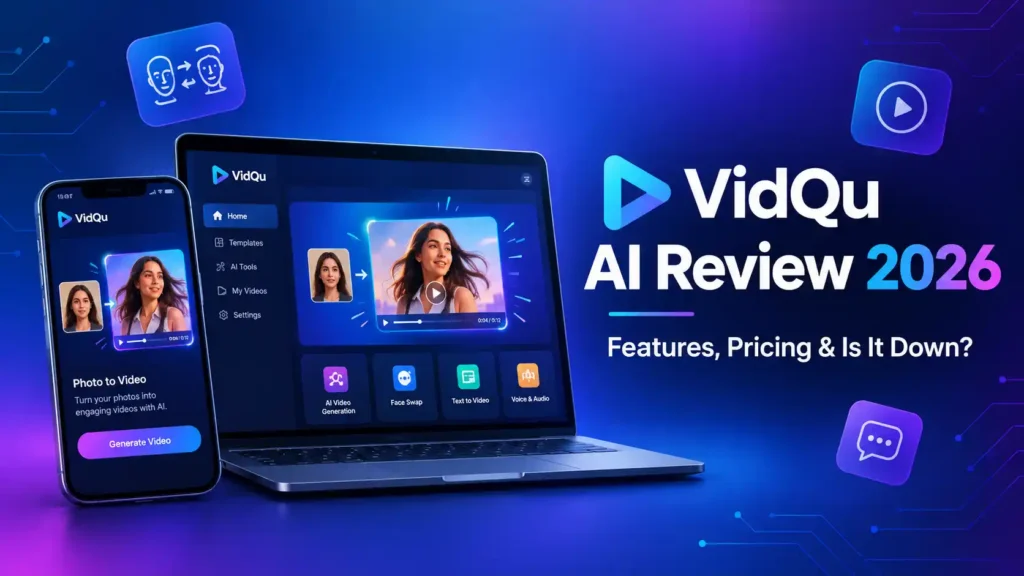
VidQu AI is a multi-tool AI content platform built around one idea: instead of juggling five separate apps for image generation, video animation, face swapping, and AI chat, you do it all from one account. It’s positioned as a creative sandbox rather than a single-purpose tool, which is both its biggest selling point and, as you’ll see later, part of what makes it hard to evaluate consistently.
There are actually two versions of VidQu worth knowing about, and mixing them up is where a lot of online confusion starts.
The Web Platform (vidqu.ai)
The browser-based platform at vidqu.ai leans heavily into character creation and companion-style features alongside standard image and video tools. Its core toolkit includes an AI image generator, an image-to-video animator, AI face swap for both photos and videos, and a customizable AI character chat system (marketed under labels like AI girlfriend and AI boyfriend). It also runs a credit-based free tier with a daily usage cap, which resets every 24 hours.
The Mobile App (Vidqu – AI Video & Image Creator)
Separately, there’s an iOS app under a similar name that skews toward mainstream, shareable content rather than companion chat. According to its App Store listing, this version runs on a mix of well-known backend models — including Google’s Nano Banana and Nano Banana Pro image models, Google’s Veo video model, Kuaishou’s Kling, and Alibaba’s Wan — to power features like Talking Photos, a Future Baby Predictor, AI headshot generation, and trending video effects. If your interest in VidQu is purely for fun social content rather than character chat, this is the version most people mean.
Understanding this split matters because a lot of reviews blur the two together, which feeds directly into the next section.
Is VidQu AI Down? Clearing Up the Confusion
Here’s something most VidQu AI content doesn’t tell you straight: there is genuine, conflicting information online about whether this platform is even active.
Some review sites, including a few updated as recently as mid-2026, report that VidQu AI’s face-swap tools have gone permanently offline and that the platform has effectively shut down. Others — including the App Store listing for the mobile app — show active development, recent user reviews, and ongoing feature updates. When the official vidqu.ai domain was checked directly for this article, it was still live, still processing free daily generations, and still running credit-purchase promotions.
So what’s actually going on? A few realistic explanations:
- Intermittent downtime got reported as permanent shutdown. AI wrapper platforms built on third-party models are notorious for rough patches — API outages, server migrations, or payment processor issues that look like a shutdown to a user mid-session but resolve days later.
- Confusion with a different, unrelated product. VidQu AI is frequently and incorrectly mixed up with Vidu, a separate AI video generation platform from Shengshu Technology with no connection to VidQu whatsoever. If you’re comparing pricing or features, double-check which product you’re actually reading about.
- Copycat domains are muddying the search results. This is the part worth paying real attention to.
Watch Out for the Imposter Domain
Multiple sources flag a lookalike site, vidquai.net, that ranks in search results alongside the real platform but has no connection to the original VidQu team. Reports indicate it redirects visitors to a completely different service (Candy AI) through affiliate links rather than offering any of VidQu’s actual tools. If you’re typing the name from memory, go directly to vidqu.ai and double-check the URL in your address bar before entering any payment information — a mistake here doesn’t just waste money, it hands your card details or uploaded photos to a site with no accountability to the original platform’s terms of service.
Bottom line: as of this writing, VidQu AI appears to be operating, but inconsistently enough that you should verify functionality yourself before buying a large credit pack, and you should be deliberate about which URL you type in.
Core Features Breakdown
AI Image Generator
The text-to-image tool supports preset resolutions (square, portrait, and vertical formats) and multiple style presets — photorealistic, anime, oil painting, and 3D render among them. It’s functional and fast, but reviewers consistently note it isn’t class-leading against dedicated image tools like Leonardo.ai or Midjourney. Think “solid and convenient,” not “best in class.”
Image-to-Video Animation
Upload a static photo, add a motion prompt, and VidQu generates a short animated clip. This is genuinely one of the more practical use cases — animated portraits, simple social clips, and looping visual content don’t require the cinematic precision that a tool like Kling AI is built for.
AI Face Swap
This is arguably VidQu’s most talked-about feature, and reviews are fairly consistent: single-face swaps look clean, preserving lighting, skin tone, and expression well in normal conditions. Multi-face swaps and extreme angles are noticeably less reliable. One practical catch worth knowing before you start: several reviewers report that the free tier lets you run the entire swap process but won’t let you preview or download the result without paying first — so “free trial” here means “free attempt,” not “free look at the output.”
AI Character Chat (AI Girlfriend/Boyfriend)
Users can build a customizable companion — anime or photorealistic — and chat with it via text, adjusting personality, appearance, and voice. VidQu markets this side of the product with fairly explicit language around “unfiltered” chat. If this is your primary interest, it’s worth knowing that dedicated companion platforms generally offer deeper memory retention and more stable conversation engines, since companion chat isn’t VidQu’s sole focus the way it is for competitors.
AI Video Translator
One of the more genuinely useful business-facing features: translating video content into 140+ languages with natural-sounding voiceover and lip-sync. For creators trying to reach international audiences without hiring separate voice talent per language, this is a legitimate time-saver, and lip-sync accuracy is reportedly strongest for major languages like English, Spanish, Mandarin, and French.
Mobile-Only Extras
The iOS app adds a few lighter, shareability-focused tools: Talking Photos (animate a portrait to speak in a chosen voice), a Future Baby Predictor, an AI Headshot Generator for professional profile photos, and an “attractiveness fun” style filter. These lean more toward viral, low-stakes content than professional production.
VidQu AI Pricing: What It Actually Costs
Pricing is where VidQu gets genuinely confusing, and it’s worth saying plainly: different reviews report different numbers, and the platform’s own promotional banners (seasonal “Black Friday” and “Christmas” countdown offers) appear to run regardless of the actual calendar date, which is a common pattern in this category of app but still worth flagging as a bit of a red flag for genuine urgency.
Roughly, here’s what’s been reported across sources:
- A free tier with a limited number of daily generations that resets every 24 hours
- Small credit packs in the range of roughly $9–$13 for around 80 credits, often shown with a “discount” against a higher listed price
- Monthly plans cited elsewhere in the $12–$36/month range depending on the tier and how many credits it includes
Because credit-based AI tools tend to revise pricing often and run rotating promotions, treat any specific number — including the ones above — as a snapshot rather than a guarantee. Confirm current pricing directly on the platform before buying a larger package.
Benefits of Using VidQu AI
- One account, multiple tools. You’re not managing five subscriptions for image generation, video, and face swap separately.
- Low technical barrier. Preset styles and simple upload-and-generate flows make it approachable for non-designers.
- Fast turnaround. Most generations reportedly complete in well under a minute.
- Useful translation feature. The 140+ language video translator has genuine value for creators targeting global audiences.
Common Mistakes People Make With VidQu AI
- Typing the name from memory and landing on a lookalike domain. Always navigate to vidqu.ai directly rather than clicking a random top search result.
- Buying a large credit pack before testing the free tier. Given the reported “pay before preview” issue on face swap, test with the smallest possible purchase first.
- Uploading low-resolution source photos. Face swap and image-to-video quality is directly limited by your input image quality — a blurry source photo produces a blurry, artifact-prone result no matter how good the model is.
- Assuming a paid annual plan guarantees long-term access. At least one App Store reviewer reported paying for a full year and later finding the tool stopped working. With any AI wrapper service, this risk exists — avoid annual commitments until you’ve used the tool consistently for a few weeks.
- Uploading real people’s photos for companion or face-swap content without consent. This isn’t just a courtesy — it can carry real legal exposure depending on your jurisdiction.
Best Practices and Tips for Better Results
- Start with high-resolution, well-lit source images. This single factor affects face swap and animation quality more than any setting inside the app.
- Test short clips first. When trying image-to-video, generate 2–4 second previews before committing credits to a longer render.
- Keep prompts and lighting consistent across a project. If you’re producing multiple images or clips for one piece of content, matching prompt style keeps the visual tone cohesive.
- Upscale afterward if needed. Output resolution on generative platforms is often capped; running finished images or clips through a dedicated upscaler afterward can noticeably improve sharpness for print or high-resolution use.
- Screenshot your credit balance and terms before a big purchase. Given the reported pricing inconsistencies, having your own record protects you if a dispute comes up later.
Safety, Privacy, and Ethical Considerations
Because VidQu AI handles personal photos, faces, and (on the companion side) private chat logs, a few things deserve direct attention:
Data handling: According to the platform’s own policy, uploaded content is processed through encrypted channels and isn’t shared publicly without consent, with files typically deleted after a retention window. As with any cloud-based AI tool, the practical rule is: don’t upload anything you wouldn’t be comfortable existing on a third-party server, even temporarily.
Consent for face swap: If you’re swapping a real person’s face into content — especially anything intimate, embarrassing, or public-facing — get their explicit consent first. Many countries now have specific legal provisions around non-consensual deepfake content, and “I didn’t think it would spread” is not a defense that holds up well.
Companion chat content: VidQu markets its character chat with fairly explicit “unfiltered” language. If you engage with this feature, be aware of your local laws regarding adult content, the fact that conversation logs may be stored, and the general risk profile of any platform storing sensitive personal chat data.
Age verification: Any platform offering adult-oriented companion features should have clear age gating. Treat the absence of robust verification as a signal to be cautious, not as a loophole.
VidQu AI vs. Alternatives
No single tool does everything best, and VidQu’s “does a bit of everything” design means specialists often outperform it in their specific lane:
| Use Case | Better Specialist Option |
|---|---|
| Long-term AI companion with memory | Candy AI or Kindroid |
| Professional talking-head/avatar video | HeyGen |
| Cinematic image-to-video motion | Kling AI |
| High-end image generation and art control | Leonardo.ai |
| Dedicated, fast face swapping | Remaker AI (built on InsightFace technology) |
If VidQu’s appeal to you is genuinely the convenience of having everything in one place, that’s a legitimate reason to stick with it. If you keep finding yourself wishing one specific feature went deeper, a specialist tool will almost always outperform an all-in-one wrapper on that one thing.
Personal Experience
I first came across VidQu AI while researching quick options for animating a client’s product photos into short social clips — nothing fancy, just enough movement to stop the scroll on Instagram. The signup was frictionless, and the free daily credits let me test the image-to-video tool without committing anything. My first attempt, a photo of a coffee mug, animated with a subtle steam effect that looked genuinely decent for a five-second clip.
Where things got less smooth was the face swap tool. I ran a swap using a well-lit, high-resolution headshot as the source, and the process completed in under thirty seconds — but I hit a paywall before I could actually see the result clearly. That matched exactly what other reviewers had flagged: you can’t meaningfully “try before you buy” on that specific feature, which felt like an odd design choice for a tool trying to build trust with new users.
I also spent time testing the AI image generator with identical prompts across a few styles. The photorealistic preset was solid for casual use — nothing that would replace a dedicated tool for commercial work, but perfectly fine for a mood board or a quick social post. Anime style outputs were more consistent than photorealistic ones, which lines up with what other users have reported.
The most frustrating part of researching this platform wasn’t actually using it — it was trying to confirm basic facts like current pricing and whether the service was even reliably online. I ran into the same conflicting “is it down” reports that likely brought you to this article in the first place, and I ended up cross-referencing the official site, the App Store listing, and several third-party reviews just to get a consistent picture. My takeaway: the tools that work, work reasonably well for casual use, but the platform’s own information hygiene — consistent pricing, clear uptime status, and distancing itself from copycat domains — needs real improvement before I’d recommend it for anything mission-critical.
Frequently Asked Questions
Is VidQu AI legit or a scam? The official platform at vidqu.ai appears to be a real, operating business with actual generative tools behind it. The scam risk mainly comes from lookalike domains like vidquai.net, which redirect elsewhere — always verify the URL before entering payment details.
Is VidQu AI actually down right now? Reports conflict. Some review sites describe it as shut down, while the official site and its mobile app listing have shown recent activity. Check the platform directly rather than relying on any single review, including this one, since status can change.
Is VidQu AI free to use? There’s a free tier with a limited number of daily generations that resets every 24 hours. Higher-resolution outputs, faster processing, and unrestricted face-swap downloads typically require paid credits.
Does VidQu AI have a mobile app? Yes, there’s an iOS app called “Vidqu – AI Video & Image Creator” that focuses on video effects, talking photos, and image generation rather than the companion chat features found on the web platform.
Is VidQu AI safe for uploading personal photos? The platform states it uses encrypted processing and deletes files after a retention period, which is standard for this category. As a general rule, avoid uploading sensitive photos to any cloud-based AI tool unless you’ve read its current privacy policy.
What’s the difference between VidQu AI and Vidu AI? They’re unrelated products from different companies that are frequently confused due to similar names. Vidu is a separate AI video generation platform; VidQu is the multi-tool platform covered in this article.
Can I swap someone else’s face without asking them? You shouldn’t. Beyond the ethical issue, many regions now have specific legal restrictions on non-consensual deepfake content, particularly anything intimate or defamatory.
What are the best alternatives to VidQu AI? Depending on your priority: Candy AI or Kindroid for companion chat, HeyGen for professional avatar video, Kling AI for cinematic animation, Leonardo.ai for image generation, and Remaker AI for dedicated face swapping.
Conclusion
VidQu AI occupies an odd, interesting spot in the AI tools landscape: genuinely useful for casual, fast, all-in-one content creation, but surrounded by enough pricing inconsistency, uptime confusion, and copycat domains that it demands more due diligence than most tools in its category. The core features — face swap, image generation, image-to-video, and video translation — work reasonably well for social content and quick creative experiments, but none of them are best-in-class against dedicated specialist tools.
Actionable takeaways:
- Go directly to vidqu.ai rather than clicking search results, and avoid vidquai.net entirely.
- Test with the free tier and a small credit purchase before committing to a monthly or annual plan.
- Use high-resolution source images for noticeably better face swap and animation results.
- Get explicit consent before using anyone else’s likeness in face swap or companion content.
- If one specific feature matters more to you than the “all-in-one” convenience, compare it directly against a specialist tool before paying for VidQu’s broader package.
Used with the right expectations — as a fast, casual, all-in-one sandbox rather than a professional production suite — VidQu AI can genuinely earn its place in your toolkit. Just verify before you pay.
For more interesting Articles visit : OnlineProduto